Hummer Cars0.1
Continue to app
Free Version
Publisher Description
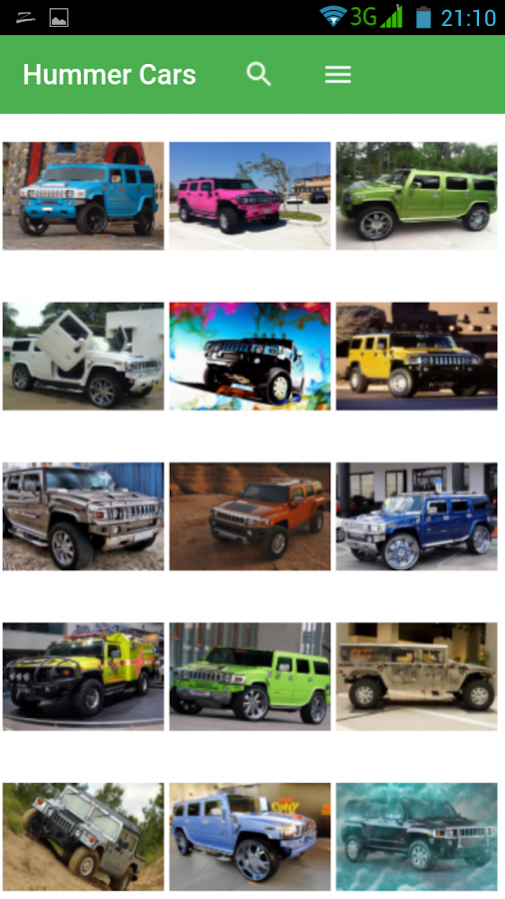
Hummer was a brand of trucks and SUVs, first marketed in 1992 when AM General began selling a civilian version of the M998 Humvee. In 1998, General Motors purchased the brand name and marketed three vehicles: the original Hummer H1, based on the military Humvee, as well as the H2 and H3 models that were based on smaller, civilian-market GM platforms.
But actually Hummer became more than a militar car, now you can find hummers unique and personalized that makes it one of the most desired cars.
If you like them, here you can find wallpapers with some of the most amazing Hummer Cars.
About Hummer Cars
Hummer Cars is a free app for Android published in the Themes & Wallpaper list of apps, part of Desktop.
The company that develops Hummer Cars is Covafolk. The latest version released by its developer is 0.1.
To install Hummer Cars on your Android device, just click the green Continue To App button above to start the installation process. The app is listed on our website since 2018-02-20 and was downloaded 8 times. We have already checked if the download link is safe, however for your own protection we recommend that you scan the downloaded app with your antivirus. Your antivirus may detect the Hummer Cars as malware as malware if the download link to com.wHummerCars is broken.
The company that develops Hummer Cars is Covafolk. The latest version released by its developer is 0.1.
To install Hummer Cars on your Android device, just click the green Continue To App button above to start the installation process. The app is listed on our website since 2018-02-20 and was downloaded 8 times. We have already checked if the download link is safe, however for your own protection we recommend that you scan the downloaded app with your antivirus. Your antivirus may detect the Hummer Cars as malware as malware if the download link to com.wHummerCars is broken.
How to install Hummer Cars on your Android device:
- Click on the Continue To App button on our website. This will redirect you to Google Play.
- Once the Hummer Cars is shown in the Google Play listing of your Android device, you can start its download and installation. Tap on the Install button located below the search bar and to the right of the app icon.
- A pop-up window with the permissions required by Hummer Cars will be shown. Click on Accept to continue the process.
- Hummer Cars will be downloaded onto your device, displaying a progress. Once the download completes, the installation will start and you'll get a notification after the installation is finished.
Program Details
System requirements
Operating systems
Android
Download information
File size
N/A
Total downloads
8
Pricing
License model
Free
Price
Version History
Here you can find the changelog of Hummer Cars since it was posted on our website on 2016-09-25. The latest version is 0.1 and it was updated on Soft112 on 07 October, 2026. See below the changes in each version:
